|
 |
Created by Gleb Bahmutov gleb.dev



Let’s take a look at a basic test that adds a todo item and checks the number of todo items. Even a simple test can illuminate the major differences between the two test runners.
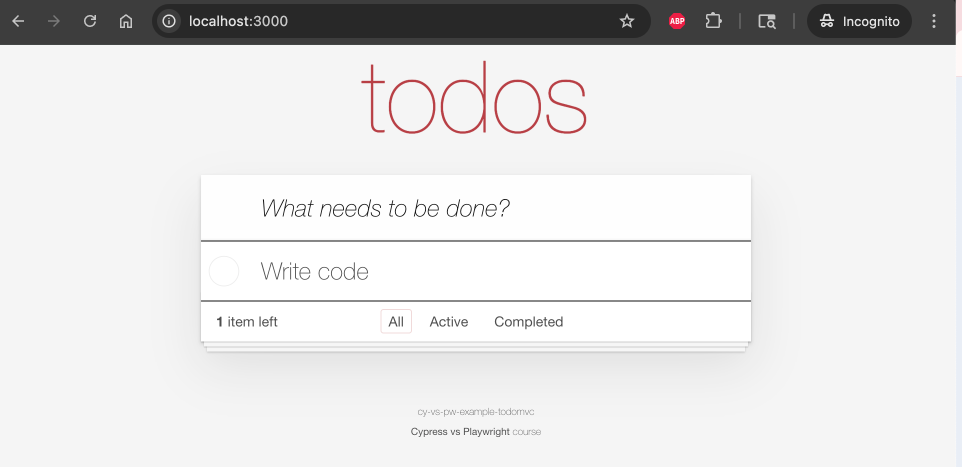 |
The test can assume that it starts with zero items
visit the application
wait for the “body” element to have class “loaded”
confirm that there are zero todo items
enter “Write code” string and press “Enter” key
confirm there is one todo item with the label “Write code”
Let’s start with Playwright solution, and we are going to use full website URL for now.
const { test, expect } = require(’@playwright/test’)

test(’adding todos’, async ({ page }) => {
  await page.goto(’http://localhost:3000’)
  await expect(page.locator(’body.loaded’)).toBeVisible()
  await expect(page.locator(’.todo-list li’)).toHaveCount(0)

  // find the input element using the placeholder text
  // and type “Write code” followed by “Enter” press
  await page.getByPlaceholder(’What needs to be done?’).fill(’Write code’)
  await page.getByPlaceholder(’What needs to be done?’).press(’Enter’)

  await expect(page.locator(’.todo-list li’)).toHaveCount(1)
  await expect(page.locator(’.todo-list li label’)).toHaveText(’Write code’)
})
Here is the finished test running in Playwright UI mode (we will look at the test runner modes later)
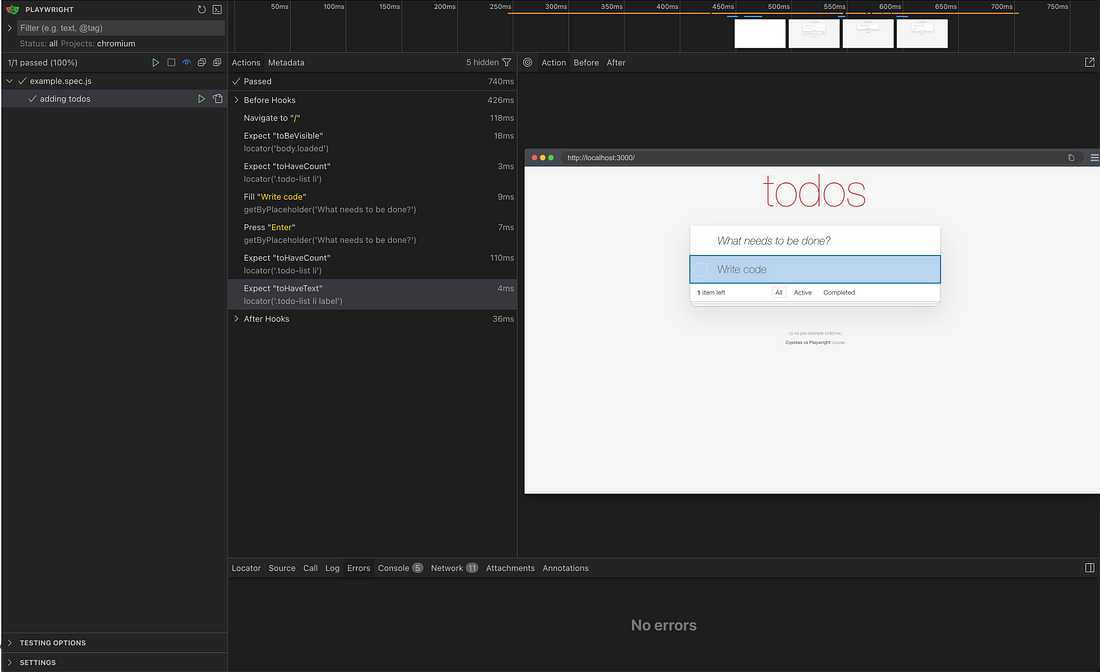 |
Playwright tests follow a simple formula:
await <command | expect assertion>
We will simplify the locators in the future days of this calendar. Meanwhile, let’s look at the Cypress solution to this test.
it(’has title’, () => {
  cy.visit(’http://localhost:3000’)
  cy.get(’body.loaded’).should(’be.visible’)
  cy.get(’.todo-list li’).should(’have.length’, 0)

  // find the input element using the placeholder text
  // and type “Write code” followed by “Enter” press
  cy.get(’[placeholder=”What needs to be done?”]’)
    .type(’Write code{enter}’)

  cy.get(’.todo-list li label’)
    .should(’have.length’, 1)
    .and(’have.text’, ‘Write code’)
})
The test passes, here is a screenshot from Cypress interactive mode
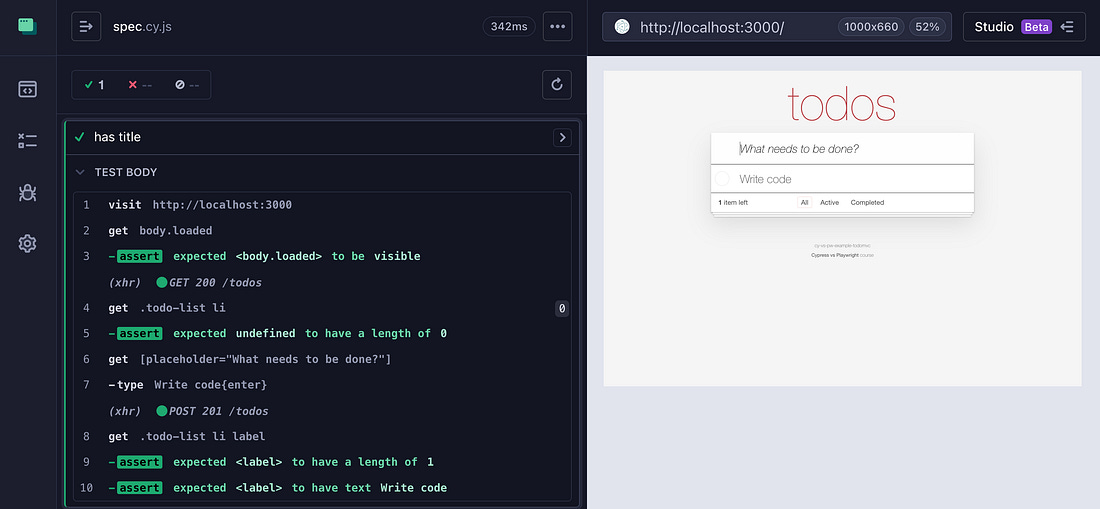 |
You can see how the declarative syntax of Cypress differs from imperative Playwright syntax. A typical Cypress test simply “declares” what commands to run and what is expected from the web application page:
cy.command(…)
.command(…)
.should(assertion)
This advent calendar is based on my online course “Cypress vs Playwright“ and open-source workshop bahmutov/cypress-workshop-cy-vs-pw. You can find links to the previous advent calendar days in my blog post “Cypress vs Playwright Advent Calendar 2025“.
For more Cypress testing knowledge, visit cypress.tips today
If you liked this post from Cypress Tips Advent Calendar 2021, why not share it?
| ||||||||||

