Listen
- Home
-
Features
 Intelligence TrainingTrain by author, tag, title, and full text
 Ask AI & Daily BriefingAI-powered story analysis and daily summaries
 ListenHave any story read aloud
 Web FeedsFollow any website, even without RSS
 Email NewslettersRead newsletters in your news reader
 Full-Text SearchSearch across all your subscriptions
 Story ArchiveEvery story kept and searchable forever
 Saved Stories & TagsSave stories and organize with custom tags
 Native AppsFirst-class iOS & Android apps, not wrappers
 Story ClusteringGroup duplicate stories across your feedsMore FeaturesRiver of News Notifications Text View Track Changes Themes Keyboard Shortcuts IFTTT & Zapier Shared Stories MCP Server CLI ToolCompareAlternatives
 - Pricing
- FAQ
- About
Archive
Listen
Have any story read aloud on the web, iPhone, iPad, Mac, and Android.
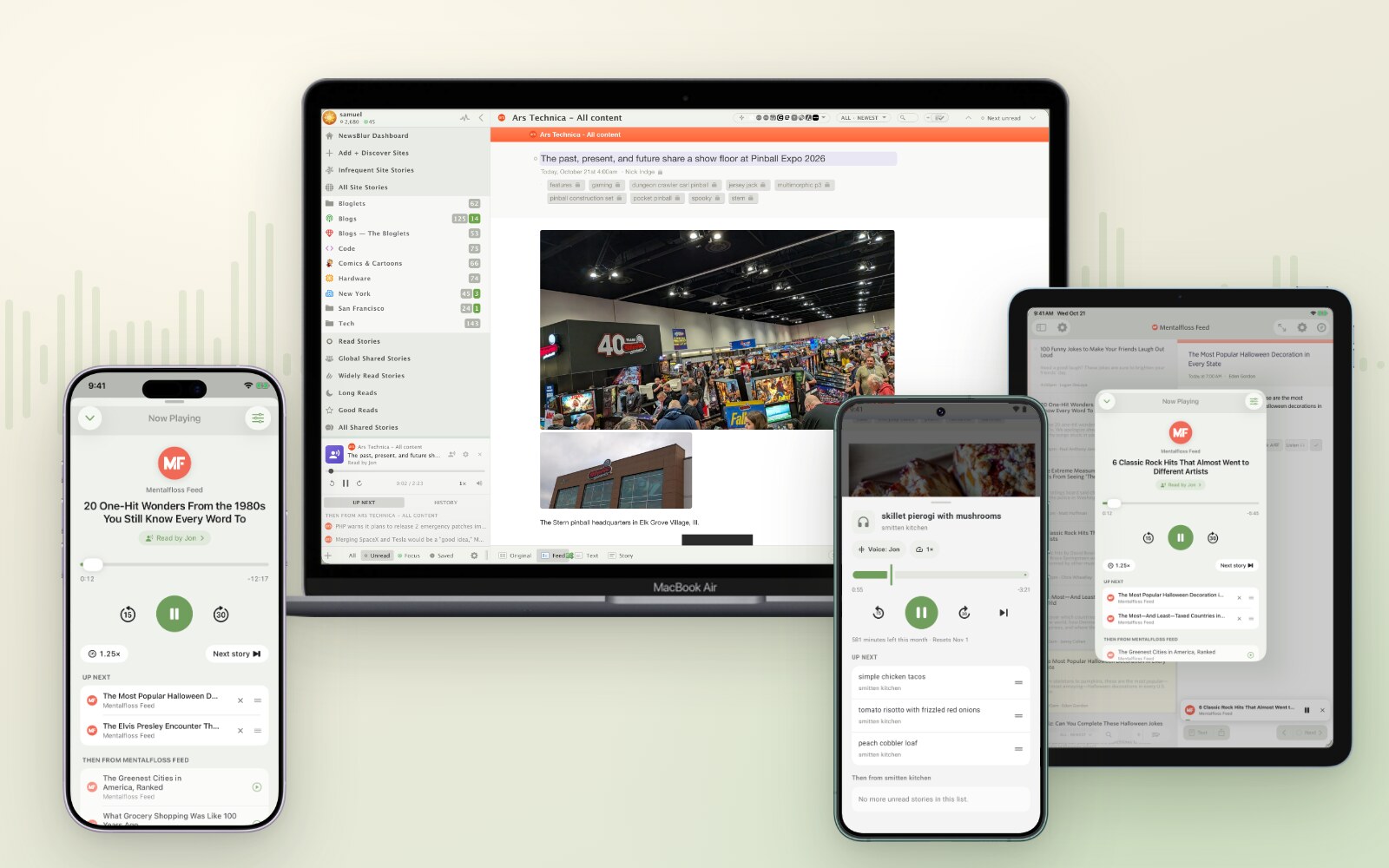
Listen on the web, iPad, iPhone, and Android
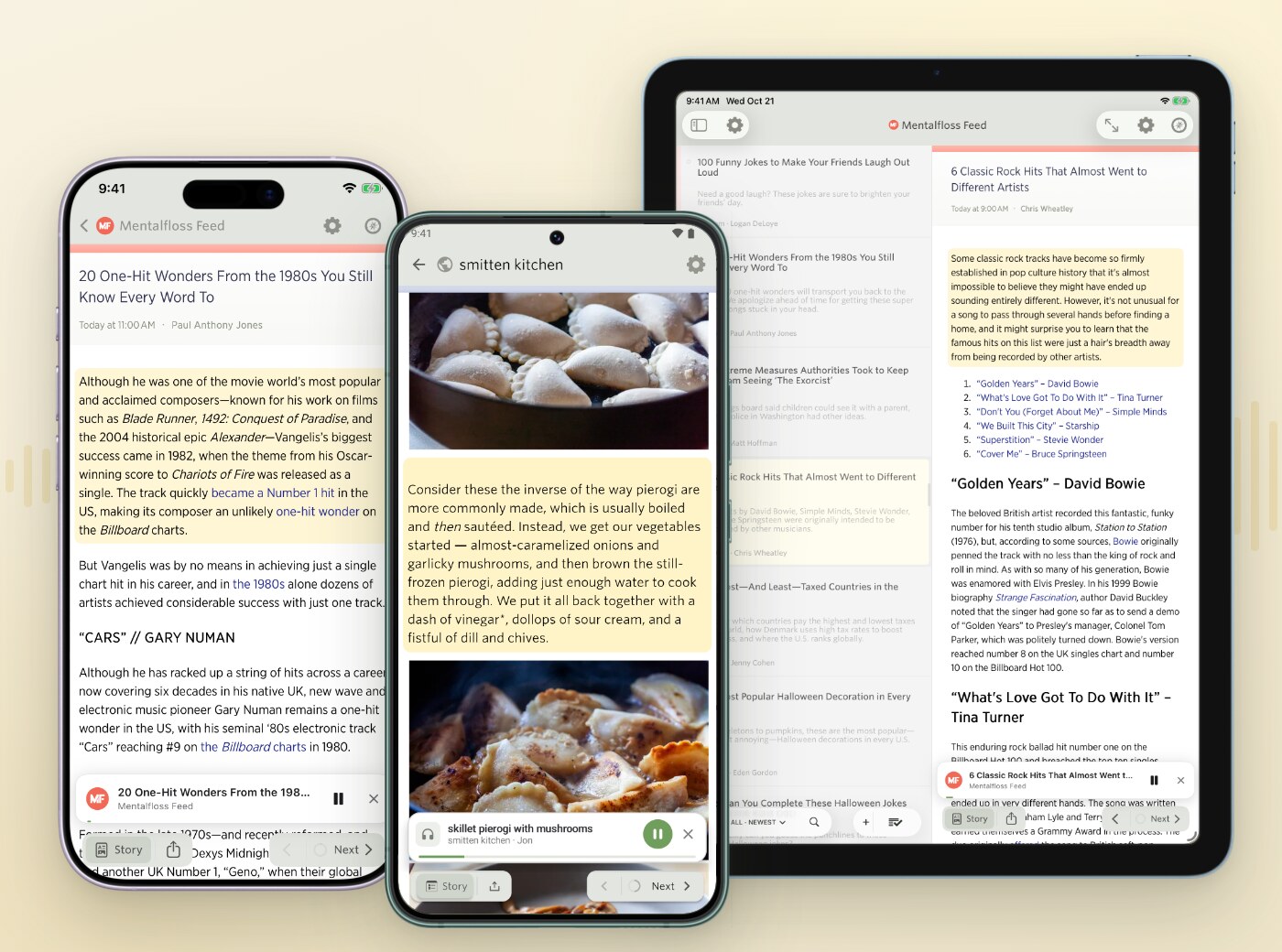
Each paragraph is highlighted as it's read
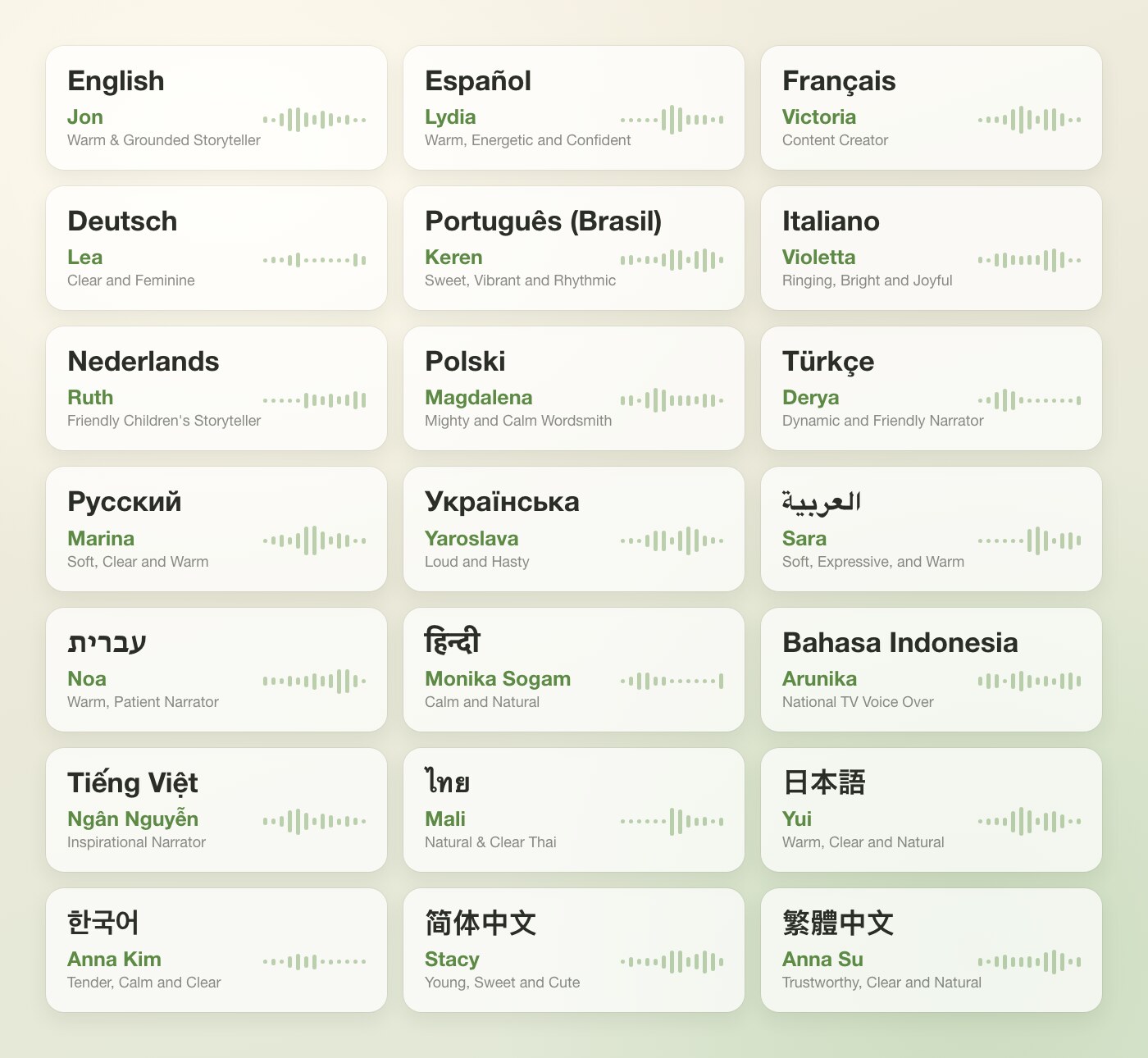
A voice for each of NewsBlur's 21 languages
How it works
- Open any story and press Listen
- Follow along as each paragraph is highlighted, and tap any paragraph to jump to it
- Press + to add stories to Up Next, then keep going with your next unread stories
- Pick a voice for each language and set the delivery and speed
- Keep listening with the screen off, from the lock screen or your phone's media controls
Where does Listen work?
On the web and in the iPhone, iPad, Mac, and Android apps. Up Next is saved to your account, so stories you queue on one device are waiting on the others.
Which languages and voices are available?
Listen works out each story's language and reads it with your voice for that language. Each of NewsBlur's 21 languages has ten recommended voices from ElevenLabs, and you can search the rest of the ElevenLabs voice library.
What if a feed only publishes a summary?
Listen fetches the full article from the site and reads that instead. Images, captions, code, and tables are skipped.
What plan do I need?
Listen is included with Premium Archive ($99/year) and Premium Pro. On other plans you can hear a 30 second preview of a few stories a day.
Explore more features
Intelligence TrainingTrain by author, tag, title, and full text
Ask AI & Daily BriefingAI-powered story analysis and daily summaries
ListenHave any story read aloud
Web FeedsFollow any website, even without RSS
Email NewslettersRead newsletters in your news reader
Full-Text SearchSearch across all your subscriptions
Story ArchiveEvery story kept and searchable forever
Saved Stories & TagsSave stories and organize with custom tags
Native AppsFirst-class iOS & Android apps, not wrappers
 MCP Server
Connect AI agents to your feeds and stories
 CLI Tool
Manage feeds and stories from your terminal
Story ClusteringGroup duplicate stories across your feeds
 IFTTT & Zapier
Automate workflows with hundreds of services